Home Blog Page 98

Samsung One UI vs Experience UI: Should you update?

One UI vs Experience
One UI makes single-handed use easier

Samsung recently showcased their new user interface called One UI. The software was soon rolled out to Samsung Galaxy Note 9, Galaxy S9 and Galaxy S9+ under the company's beta program. We should soon see a stable update for these devices. But the question remains, should you upgrade? Read our full comparison to find out the answer.

One UI vs Samsung Experience UI: Look and feel

Samsung's new One UI looks quite different from its older Experience UI. It brings a more optimised interface for single-handed use. It also adds features like Night Mode, which reduce battery consumption and eye strain.

Samsung Experience UI, on the other hand, looks very similar to what we have been seeing for years from the days of TouchWiz. The animations are not as smooth as One UI and it lacks some of the features, which One UI has. More importantly, Experience UI runs Android 8.1 Oreo, whereas, One UI runs Android 9.0 Pie.

One UI vs Samsung Experience UI: Performance

While running One UI beta on our Samsung Galaxy Note 9, we noticed a significant improvement in performance. Even AnTuTu and GeekBench results show the difference. The difference is not only in numbers but it is noticeable even in daily tasks of switching between different applications.

Also Read: Top 5 features of Samsung One UI: Night mode, Gesture navigation and more

One UI vs Samsung Experience UI: Verdict

Currently, One UI is a part of Samsung's Beta program, which is the only reason we are hesitating in telling you to update. It currently has a number of minor bugs and issues, but it is able to run most tasks fine. If it is installed on your primary smartphone, even those minor bugs will bother you. In case you are still keen to try it out you can read our guide here on how to install One UI beta.

We do recommend that you don't wait on upgrading once the official version is rolled out. It bumps up the performance and brings very useful features on board.

Telegram 5.0 now available for Android: Instant View 2.0, custom languages and more

telegram
Telegram is available on multiple platforms including MacOS

Telegram, a popular messaging application has released a new update dubbed Telegram 5.0. The new update brings a new set of custom languages and updates its instant view feature to version 2.0, making it even better than before. Here's everything that is new in Telegram 5.0:

One of the major changes that come with the new update includes Instant View 2.0. It is a feature within the messaging app that allows users to view web pages eliminating any loading time. The update now adds support for right-to-left languages, image links, tables, nested lists, blocks of related articles, horizontal scrolling, collapsible text blocks and much more.

Apart from the Instant View 2.0, Telegram 5.0 also brings support for custom languages. It is going to be quite useful in countries like India where we have around 22 different regional languages. There is also a translation tool which will allow users to create their own custom languages. Telegram also claims to have made dozens of minor bug fixes and improvements in order to make your messaging experience better.

Also Read: Top 5 messaging apps for Android and iOS: WhatsApp, Hangouts and more

Android users are the one who should be really celebrating right now. Telegram 5.0 makes navigating between the user interface on Android an ease. The company has also added a new media option in profiles of users, groups and channels in order to make media sharing easier. Also, the previews of media files now come in high quality, which has caused an increase in the loading time.

Xiaomi Play to launch in China on December 24, might be a rebranded Poco F1

xiaomi, poco f1
Xiaomi Poco F1 comes with flagship grade hardware at a relatively lower price.

Although the year is about to end and people are gearing for the holiday season, Xiaomi has other plans. New reports from China indicate that the company could launch a new lineup of smartphones before the end of 2018, dubbed Xiaomi Play series. As the name suggests, the smartphone will be geared towards the gaming smartphone market. Most likely, it might even be a rebranded Poco F1 for the Chinese Market.

If we are to believe leaks shared by a tipster on Weibo, the company is set to host a launch event sometime between December 17 and December 26. The tipster didn't unveil any other details, but they could very much unveil it on Christmas Eve.

Xiaomi, Xiaomi Play, Xiaomi Play Teaser
There was a Xiaomi Play teaser leaked by a tipster on Weibo.

Will it be a rebranded Poco F1?

As the name suggests, Xiaomi Play will be a gaming oriented high-end device with an affordable price. A few months back, the same thing was done by Honor, with the Honor Play. This suggests, Xiaomi Play might be a competitor of the Honor Play. As the company has already launched a competitor to Honor Play in some parts of the world, the Poco F1 there are speculations that the Xiaomi Play will be a rebranded Poco F1.

This will sit in the company's lineup perfectly for their home market China. The Xiaomi Play (Poco F1) could be a cheaper gaming smartphone option, with a bit of customisation, whereas the Black Shark and Black Shark Helo can stay the higher gaming smartphone variants.

Also Read: Xiaomi Poco F1 starts receiving Android Pie based MIUI 10.1 update: How to install, What's new and more

Pocophone F1

Xiaomi Poco F1 or Pocophone F1 starts at Rs 19,999 for the base variant and goes up to Rs 27,999 for the top-end variant in India. It sports a Snapdragon 845 along with 6GB/8GB of RAM. Recently the announced that they sold almost 700,000 units worldwide in the past few months.

MIUI 10 now available for Xiaomi Redmi 4: How to download, What's new and more

Xiaomi Redmi 4, miui 10
Xiaomi Redmi 4 starts receiving MIUI 10 update

Xiaomi has finally started rolling out the stable MIUI 10 update for Redmi 4. The phone is also known as Redmi 3S in some parts of the globe. While the MIUI version is being upgraded, the Android version still remains the same at Android 6.0 Marshmellow. Here's how you can install the update and what's new.

As for the changelog is concerned, it just states "improved system stability". However, it does upgrade your phone to MIUI 10, which brings most of the features that Xiaomi introduced with their latest version of MIUI. The new set of features include gesture navigation, new recents menu and much more.

In order to install the update, you have to wait until the OTA reaches your region. Once it is available, a notification will pop up claiming an update is available. If you just cannot wait, download the recovery ROM for Redmi 3S/Redmi 4. Sideload the ROM by using the local upgrade method in MIUI Updater app.

Also Read: Xiaomi warns Mi A1, Mi A2 and Mi A2 Lite users from rolling back to Android Oreo: Here’s why

Xiaomi Redmi 4 Specifications

Xiaomi Redmi 4 features a 5-inch HD IPS LCD display. It is powered by the Qualcomm Snapdragon 435 SoC coupled with up to 4GB of RAM. For storage, the phone comes with up to 64GB of onboard storage which is further expandable up to 128GB using a microSD card. All of this is backed by a 4,100mAh battery.

As for the optics, Redmi 4 sports a 13-megapixel camera at the back with a LED flash. Up front, there is a 5-megapixel selfie shooter with f/2.2 aperture.

OnePlus 5/5T get Android Pie via Open Beta: How to download, What's new and more

OnePlus 5T, oneplus 5, android pie, android 9, beta, open beta, oxygenos, how to install
OnePlus 5T finally receives Android 9 Pie via Open Beta update

OnePlus has started rolling out the OxygenOS 22 and OxygenOS 20 Open Beta update for OnePlus 5 and 5T respectively. The new beta update brings the much awaited Android 9 pie operating system to the table. The changelog of the new update offers a lot and here's how to download and install the update on your OnePlus 5/5T.

What's new?

The major thing that new Open Beta updates bring is Android 9 Pie. Apart from the operating system upgrade, it brings the latest November 2018 security patch. Further, the support for parallel apps has been increased adding apps like Telegram, Discord, IMO, Uber and OLA.

Now, there is a new Do Not Disturb mode with adjustable settings and optimized UI for speed dial and calling interface. The weather app has also got a few updates including more suggestions in the search menu.

Also Read: Top 5 features of OnePlus 6T McLaren Edition: 10GB RAM, Warp Charge and more

How to download?

If you are already on a Beta version of OxygenOS, this will be just like any other update for you where you can head over to Settings > System > System Update and check for any available updates. However, if you are using the official build, you can follow these steps to update your smartphone.

  • Go to the official website of OnePlus and head over to the Support tab
  • Now click on Software Upgrade and select your OnePlus device
  • Head over to the Beta tab and hit Download
  • Transfer the downloaded file to your OnePlus 5/5T
  • Now, on your phone head over to Settings > System > System Update and tap on the settings icon on the top right corner
  • Select Local Upgrade and look for the file you just downloaded

Once you hit install, your phone will restart with Android 9 Pie based OxygenOS Open Beta.

Paytm Cashback Days sale now live: Cashbacks on number of products

Paytm, cashback
Paytm Cashback Deals will be on 16th December.

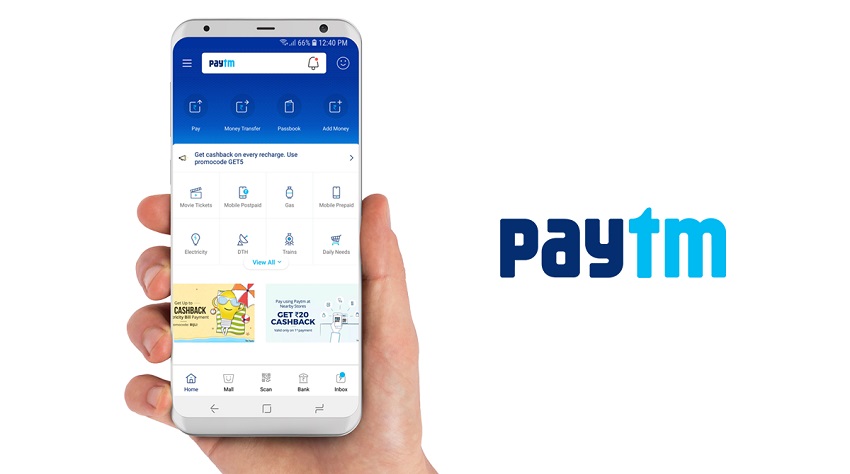
Paytm has kicked off their 'Cashback Days' sale just in time for Christmas. The festival sale has started and will go on till December 16. Customers, stand to win cashbacks on shopping at organised stores, supermarkets, restaurants, pharmacies, petrol pumps, milk-booths by paying for any transaction via the company's digital wallet. Along with the cashback offers at stores, the company is hoping to increase sales for Paytm registered shop owners, profiting them as well.

Many big and small retailers accept payments via Paytm. Paying through the app at any of them will make you eligible for getting a cashback during the festival sale. Some of the biggest retail names include Uber, Big Bazaar, Zomato, 24 Seven, Columbia Asia, Fortis, Cafe Coffee Day, Indian Terrain, Biba, Reliance Digital, Reliance Fresh, Super 99, Central, Heritage Fresh, US Polo, Flying Machine, Ed Hardy, Barista, Chaayos, Pizza Hut, Beer Cafe, Chaipoint, Mad over Donuts, Spencers, VIP Bags and Zoomcar.

At Big Bazaar, customers can get Rs 200 flat cashback on minimum shopping of Rs 2000. At Central Store, users will get Rs 300 on a minimum cashback of Rs 2,500. There is also 25% off on thing a minimum bill of Rs 250 at Vaango and Mad Over Donuts. Deals are also available at Ed Hardy, Vangoo, MOD and more.

Also Read: PhonePe launches scratch cards: Here’s how to win up to Rs 1000

"Paytm has become the preferred payment choice amongst customers for in-store payments in India. Today, Paytm is accepted at the largest variety of stores ranging from large brand outlets to online platforms as well as small retailers across India. With 'Paytm Cashback Days', we celebrate our customers choosing Paytm as their preferred mode for payments at offline or online merchants by rewarding them with the best deals & cashback of the year. This will be a significant part of our efforts to push the adoption of mobile payments in the country & also help our Merchant partners significantly"

-Kiran Vasireddy, COO of Paytm.

PhonePe launches scratch cards: Here's how to win up to Rs. 1,000

PhonePe rewards
PhonePe is offering up to Rs. 1,000 worth of scratch cards to users

PhonePe, a mobile wallet, has introduced scratch cards system in order to offer rewards to the users. Following the footsteps of Google Pay, PhonePe is now offering scratch cards to users who use the app to complete a transaction. Here's how it works and how you can win up to Rs. 1,000 right now.

PhonePe users can win up to Rs. 1,000 cashback via scratchcard on electricity bill payments. Even users who pay their DTH bills will be eligible to get a scratch card, which can make them win up to Rs. 1,000. Prepaid mobile recharge payments, on the other hand, can get you a scratch card of up to Rs. 100. Sending money to another PhonePe user can also get you up to Rs. 1,000 via the scratch card.

How to get a scratch card?

  • Download and install PhonePe app on your Android or iOS smartphone
  • Setup the app with the help of your phone number and other credentials
  • Add money to your mobile wallet using Credit/Debit card, Net Banking, UPI or more
  • Now make a payment using your wallet money
  • Once the transaction is complete, a scratch card will be added in your rewards section

Also Read: Xiaomi warns Mi A1, Mi A2 and Mi A2 Lite users from rolling back to Android Oreo: Here’s why

In order to claim the reward, head over to the rewards section in the PhonePe app. Now, open a scratch card and scratch it in order to win your prize money. The money will be credited to your PhonePe wallet.

PUBG Vikendi map released, here's everything you need to know about the snow map

PUBG Vikendi map
Vikendi will be available on PC starting December 19

PUBG Corporation recently launched PlayerUnknown's Battlegrounds (PUBG) for Sony PlayStation 4. Alongside the much-awaited launch, the company also revealed a new map which is now available for PC, PS4 and Xbox. The new map is called Vikendi and it brings a snow environment. Here's everything you need to know.

Though the map has been officially released, PC players will have to wait till December 19. PS4 and Xbox players, on the other hand, will have to wait even longer as the map will be available for them starting January 2019. However, PC players have another advantage here as they can start playing the map from today but on the test servers. Vikendi map is available on PUBG PTS (Public Test Server).

Vikendi is a 6X6km map, which means it is smaller than Erangel and Miramar. It also offers a more tactical experience when compared to Sanhok. While Sanhok allows players to throw apples at each other during the waiting period, Vikendi has snowballs. As the map is full of snow, vehicles will be slippery in snow or iced areas. Also, footprints and vehicle tracks will appear on the snow areas, which means players have to be extra careful in the open now.

Also Read: Top 5 PUBG tips and tricks that will help you win

With the new Vikendi map, PUBG has also introduced a new weapon and a vehicle. The weapon G36C will only be available on Vikendi and it will use 5.56mm ammo. It can load 30 bullets in its magazine and 40 using an extended magazine. There is a Snowmobile now which has two seats and it is better to handle than other vehicles in snow areas.

While PC, Xbox and PS4 players are getting excited as the dates are getting closer for the availability of the map, PUBG Mobile users will have to wait. However, reports are that the map is already available in the Global Beta version of PUBG Mobile, which means that the update will not take too long to reach everyone.

Xiaomi Poco F1 starts receiving Android Pie based MIUI 10.1 update: How to install, What's new and more

xiaomi, poco f1
Poco F1 users can now update to Android 9 Pie

Xiaomi has finally started rolling out the Android Pie based MIUI 10.1 update for the Poco F1. After being in Beta for a few weeks, the update is now finally stable and users can upgrade to the latest version of Android. Xiaomi has delivered onto their promise and this is one of the first Xiaomi phones to get Android Pie based MIUI update.

MIUI 10.1 update brings Android 9 Pie operating system. Android Pie offers gesture-based navigation, which was already present in the Poco F1 with earlier versions of MIUI. Further, the update brings Adaptive battery, quick rotation control performance improvements and much more. Apart from the OS upgrade, MIUI 10.1 also brings in the latest November 2018 security patch.

Though Xiaomi has started the rollout, it might take some time to reach all the Poco F1 smartphones. Once you receive the update, you will get a notification. Tap on the notification and follow the on-screen instructions to install the update. In order to check for the update manually, head over to Settings > About Phone > System Update and tap on check for updates.

Also Read: Xiaomi Poco F1 receives a permanent price cut of Rs. 1,000, will now start at Rs 19,999

Xiaomi Poco F1 Specifications

Xiaomi Poco F1 features a 6.18-inch FullHD+ IPS LCD display. It is powered by the Qualcomm Snapdragon 845 SoC coupled with Adreno 630 GPU. It packs in up to 8GB of RAM and 256GB of onboard storage. Under the hood, there is a 4,000mAh battery with QuickCharge 3.0 support.

As for the optics, Poco F1 sports a dual-camera setup at the back consisting of a  12-megapixel primary and a 5-megapixel secondary sensor. Up front, there is a 20-megapixel selfie shooter.

Top 5 reasons to upgrade to Samsung One UI: Night Mode, Lift to wake and more

samsung, galaxy s9, galaxy note 9, one ui, android pie
One UI is based on Google's Android Pie operating system

Samsung recently started rolling out the Android Pie based One UI Beta update for the Samsung Galaxy S9/S9+ and Galaxy Note 9. One UI brings a lot of changes to the table including the Night mode, gesture-based navigation and much more. Here are the top 5 reasons why you should upgrade to One UI right away.

Gesture Navigation

Google has introduced gesture-based navigation on its latest Android 9 Pie operating system. One UI being based on Android Pie also brings gesture based navigation to the table. However, Samsung's implementation here is quite different when compared to Google.

Single-handed usage

samsung, galaxy s9, galaxy note 9, one ui, android pie, android 9, one ui beta
One UI makes reachability easier

Smartphones are getting bigger over the years. With the new aspect ratio and larger displays, it is quite difficult for most people to reach all four corners of the phone easily. To solve that, Samsung has come up with One UI. It makes single handed use much easier on smartphones like Samsung Galaxy S9+ and Galaxy Note 9. While the first party app options have been shifted to the bottom, notification panel and settings app have huge text on the top, which allows everything to shift a little bit lower.

Night Mode

samsung, galaxy s9, galaxy note 9, one ui, android pie, android 9, one ui beta
Night Mode will also help in saving your phone's battery

One of the most anticipated changes that the new One UI brings to the Samsung devices is the all-new Night mode. While Samsung likes to call it Night mode, it is more like a dark mode for the overall UI. It changes the system colour from white to black and makes it easier for your eyes. Also, as most Samsung phones use an AMOLED panel, this will be very useful in saving more battery.

Also Read: How to install Samsung One UI beta on Galaxy Note 9, S9 and S9+

Reorganised Settings

Apart from the visual changes, Samsung has also reorganised the Settings menu in the new One UI. The first thing that you will notice is that sections have been sorted. While Connections, Sounds and Display show up together on top, Notifications and Apps are bundled together. This makes it easier for the user to understand which settings are in which section.

Lift to wake

One feature that Samsung devices have been missing all these years is the raise to wake functionality. With One UI, the feature has finally arrived and it wakes up the device as soon as someone picks it up. This makes the Face, Iris or Intelligent unlock a more seamless and better unlocking method.